.png?width=180&height=23&name=Mapcreator%20logo%20(1).png)
Co-editing makes it possible for teammates to work from the same map project, instead of creating separate copies every time someone else needs to make an update.
When co-editing is enabled for your organization, your team’s maps are available within the shared workspace. Teammates can find a map, open it and continue working from the latest saved version.
Only one person can edit a map at a time.
Can I edit a teammate’s map?
Yes. If you are part of the same organization, you can open and edit team maps created by your colleagues.
You can also:
- See when another teammate currently has a map open
- Star or unstar team maps
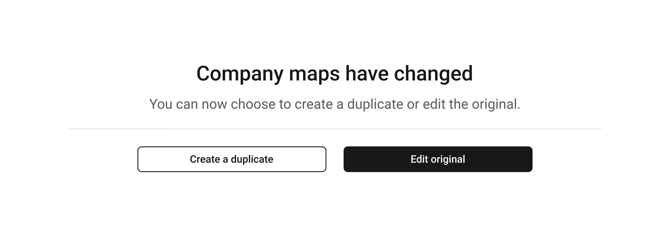
- Make a copy of a map if you prefer to work separately
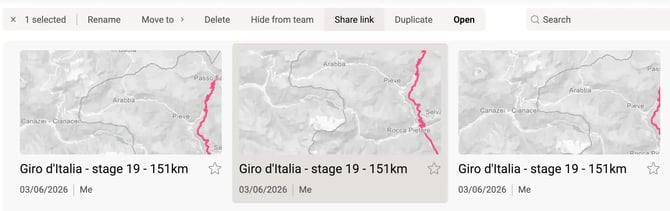
The original creator keeps control over some project actions. Other team members cannot delete, hide or create a shared link for a map they did not create.
What happens if someone already has the map open?
If another teammate is editing the map, their initials are shown on the project in the dashboard.
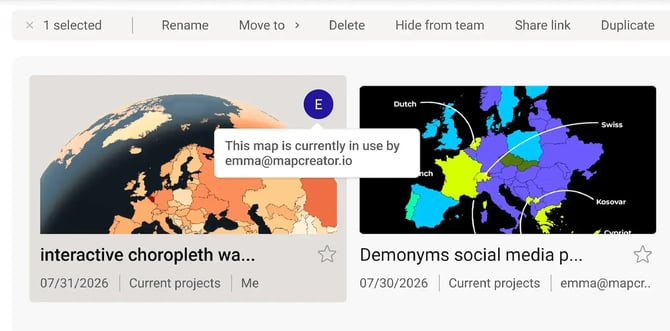
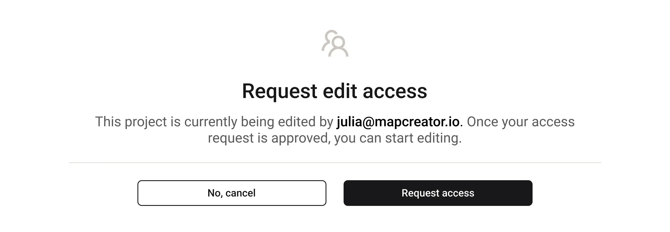
You can still request to take over the editing session. The current editor then has 15 seconds to deny the request.
If the takeover goes ahead, their latest changes are autosaved, their editing session is closed and you can continue working from the latest version.
Can I keep a map private from my team?
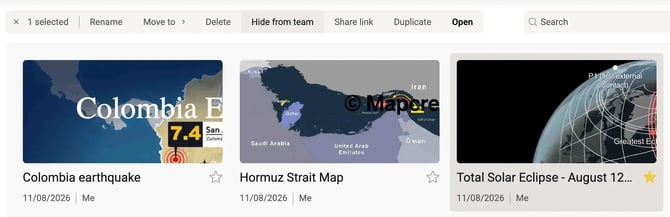
Yes. If you created the map, you can choose to hide it from your team.
A hidden map remains available to you but cannot be opened by other users in your workspace or connected organizations. You can make it visible again whenever you are ready for others to work with it.
Can I edit maps from another organization?
No. Co-editing only applies to users within the same organization.
Depending on your organization setup, you may also have access to maps from a connected child, parent or sibling organization. These maps can be viewed in the workspace when sharing between those organizations is enabled, but the original project cannot be edited.
Instead, you can make a copy of the project. The copy is added to your own organization, where you can edit it normally.
You cannot rename, move, delete, hide, share, star or manage the original map or its folders in another organization.